
Goforit Carrier1.4.5 - App Store
You'll be able to see results in few seconds.
Publisher Description


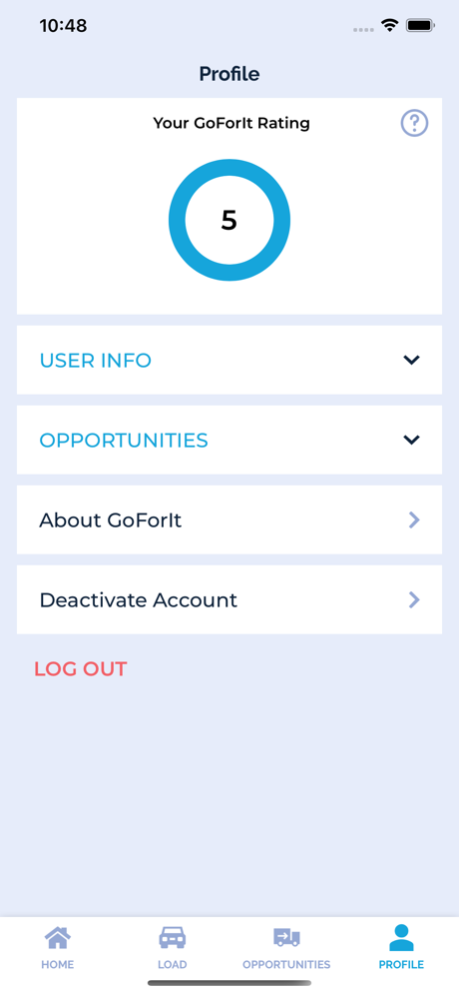

Are you looking for a load that is the most suitable for you? Are you a hotshot car hauler or working for the company? Use GOFORIT for Transporters to check available loads near you, Send offers, Accept rates, or negotiate them. Contact dealers or brokers directly from the app. Simply switch on/off your availability on the map so dealers and brokers will/will not see where you currently are to send you loads. Set your searching criteria, such as minimum $ per mile per car, number of cars you can take, are you willing to take INOPs or not, do you have an enclosed trailer? Once the load is booked you will get all required information instantly, then you can contact pickup and destination parties, inspect the vehicle, obtain electronic proof of pickup or delivery. Our inspection diagram is the easiest to use and very helpful whether you are transporting old vehicles not requiring thorough inspection or expensive vehicles when you are required to mark damages by sizes and exact location. If you are an owner-operator working for your own company GOFORIT App is an absolutely great tool to track payments, simply mark paid loads as green and unpaid as red, GOFORIT history page provides statistics on how much you make as a driver or owner-operator.
Apr 18, 2024
Version 1.4.5
We have made subtle enhancements throughout the app, though they may not be immediately noticeable.
About Goforit Carrier
The company that develops Goforit Carrier is GOFORIT SYSTEMS INC. The latest version released by its developer is 1.4.5.
To install Goforit Carrier on your iOS device, just click the green Continue To App button above to start the installation process. The app is listed on our website since 2024-04-18 and was downloaded 0 times. We have already checked if the download link is safe, however for your own protection we recommend that you scan the downloaded app with your antivirus. Your antivirus may detect the Goforit Carrier as malware if the download link is broken.
How to install Goforit Carrier on your iOS device:
- Click on the Continue To App button on our website. This will redirect you to the App Store.
- Once the Goforit Carrier is shown in the iTunes listing of your iOS device, you can start its download and installation. Tap on the GET button to the right of the app to start downloading it.
- If you are not logged-in the iOS appstore app, you'll be prompted for your your Apple ID and/or password.
- After Goforit Carrier is downloaded, you'll see an INSTALL button to the right. Tap on it to start the actual installation of the iOS app.
- Once installation is finished you can tap on the OPEN button to start it. Its icon will also be added to your device home screen.
Program Details
System requirements
Download information
Pricing
Version History
version 1.4.5
posted on 2024-04-18
Apr 18, 2024
Version 1.4.5
We have made subtle enhancements throughout the app, though they may not be immediately noticeable.
version 1.3.4
posted on 2024-02-19
Feb 19, 2024
Version 1.3.4
Some subtle enhancements have been made throughout, though they may not be immediately noticeable.
version 1.3.1
posted on 2023-09-09
Sep 9, 2023
Version 1.3.1
In our latest release, we've introduced an innovative load map designed to assist drivers in planning their routes effectively. Additionally, this update includes various enhancements and fixes to enhance overall functionality.
version 1.3.0
posted on 2023-08-13
Aug 13, 2023
Version 1.3.0
Added new vehicle photo management improvements:
- Vehicle photos are organized by pickup and delivery type;
- Photos once uploaded, synced with server and available in offline mode;
- Photos preview performance improved;
- Dates on photos are stored properly in driver's time zone and properly displayed on the BOL;
- Improved photo processing performance and addressed most common memory leaks issues;
version 1.2.9
posted on 2023-07-03
Jul 3, 2023
Version 1.2.9
Some fixes and enhancements of the tracking subsystem for the AI purposes.
version 1.2.7
posted on 2023-05-06
May 6, 2023
Version 1.2.7
Added new features and enhancements:
- The active loads now has a confirmation popup window, offers to open BOL receipt;
- Embedded "PRINT" functionality has been replaced with "OPEN BOL", which automatically downloads and opens file to share with host capabilities;
- The loads are automatically downloaded on opening, progress only shown of popup window mentioned above, in other cases it will be downloaded in background;
version 1.2.6
posted on 2023-03-30
Mar 30, 2023
Version 1.2.6
This release version includes file releases attached to each load. Load releases can be added by the dispatcher on his portal. Also, we made following improvements and enhancements:
- New camera callback has been replaced with more stable event listener implementation to prevent breaking the state and application crashes;
- Renamed application's display name from "GOFORIT for Transporters" to "Goforit Carriers";
- Integrated with new Load Release API to show release files attached to the load;
- Implement FileManager to manage files synced with server over protected API in backend;
- Improved synchronization logging for debugging and analysis;
- Minor performance enhancements and optimizations.
version 1.2.2
posted on 2022-07-28
Jul 28, 2022 Version 1.2.2
Bug fixes and other improvements:
- application might crash while activating from background state;
- selecting push notifications might cause application crash;
- upgraded some core components for better security and stability.
version 1.1.6
posted on 2022-05-04
May 4, 2022 Version 1.1.6
Bug fixes and security improvements:
- Loads synchronization improved;
- Fixed deleted loads leaks in offline mode;
version 1.1.5
posted on 2022-03-19
Mar 19, 2022 Version 1.1.5
Performance and stability improvements, including:
- new camera for inspections with continues shooting;
- added synchronization progress tracking for loads;
- improved synchronization stability in offline mode;
- inspection photo loading improved;
- fixed back button in full screen photo preview mode;
- synchronization were improved to be more reliable;
- fixed issue with incorrectly scaled signatures;
- improved signature pad usability;
- other minor improvements and bug fixes;
Disclaimer
Official App Store Link
We do not host Goforit Carrier on our servers. We did not scan it for viruses, adware, spyware or other type of malware. This app is hosted by Apple and passed their terms and conditions to be listed there. We recommend caution when installing it.
The App Store link for Goforit Carrier is provided to you by apps112.com without any warranties, representations or guarantees of any kind, so access it at your own risk.
If you have questions regarding this particular app contact the publisher directly. For questions about the functionalities of apps112.com contact us.
